Project Summary
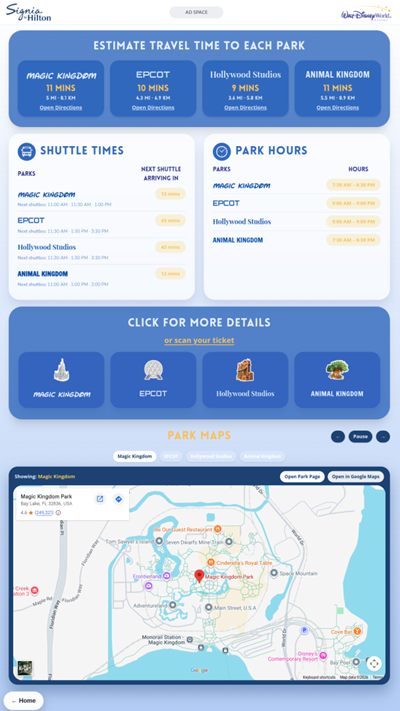
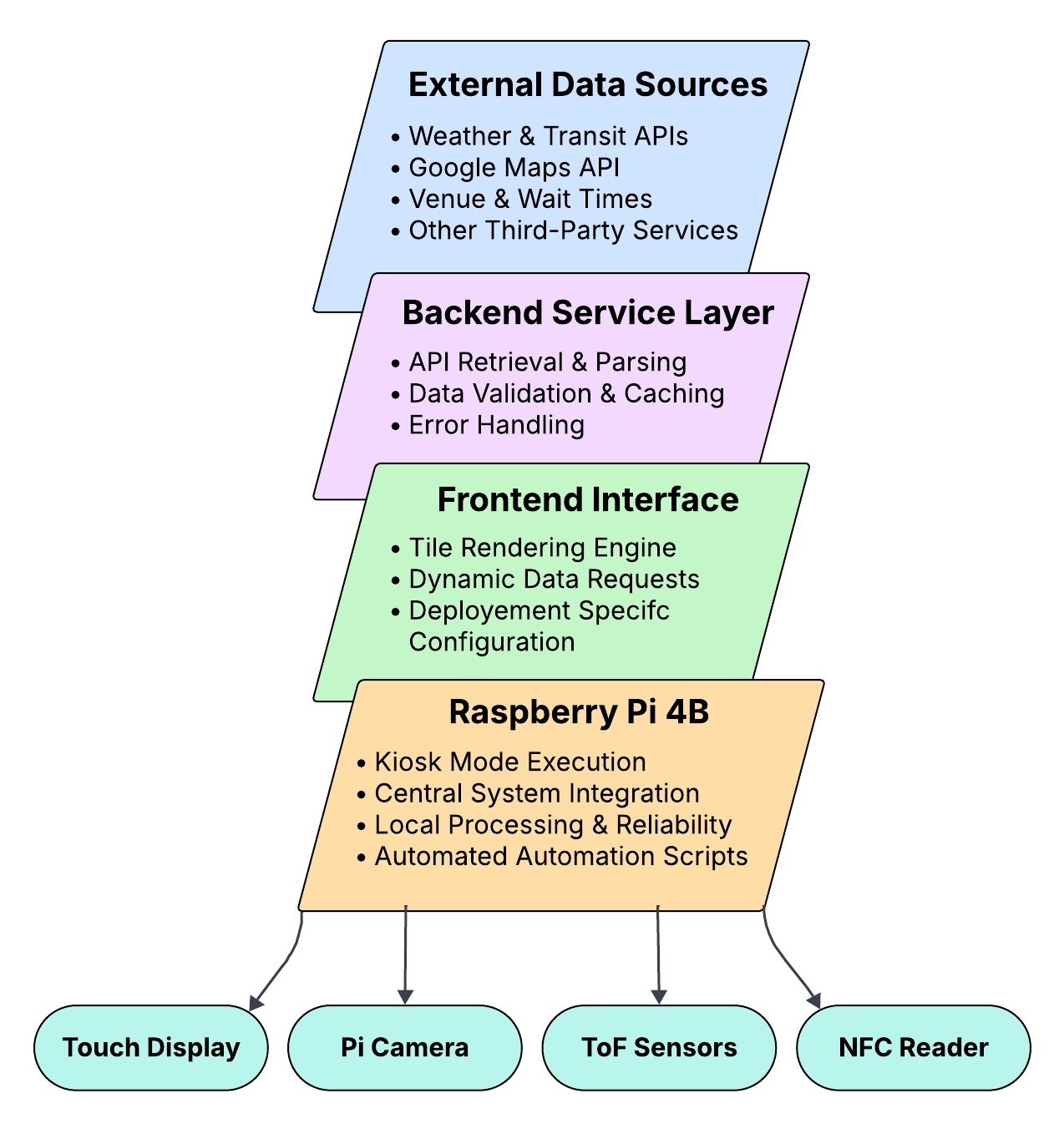
Aurora Display is an API-driven, autonomous dashboard platform designed for deployment in public smart-space environments such as airports, university campuses, hotels, and entertainment venues. Running on low-cost edge hardware, the system uses a Raspberry Pi to boot directly into kiosk mode and display modular dashboards optimized for public viewing. A backend service layer retrieves, normalizes, and formats real-time data from multiple external sources, while the frontend presents that information through a clear, tile-based interface designed for readability and usability in high-traffic environments. Aurora Display also integrates interactive hardware components, including time-of-flight sensors, an NFC reader, and a camera, to support proximity-based interaction, scan-based workflows, and personalized information delivery. To improve reliability, the platform incorporates local caching, fallback display states, and automatic recovery routines so the system remains usable even during network or API interruptions. Overall, Aurora Display demonstrates a low-cost and scalable way to make public displays more intelligent, autonomous, and useful.
Project Objective
The objective of Aurora Display is to design and demonstrate an autonomous dashboard platform that automatically boots into a full-screen kiosk interface, retrieves real-time information through a backend service layer, and presents that information using a modular tile-based layout optimized for public display. The system is intended to support multiple deployment profiles, maintain usability during partial failures through fallback states and caching, and reduce the need for routine manual updates or human intervention. Aurora Display was not designed to compete with existing digital signage companies, but rather to enhance their displays by adding an intelligent system layer.
Manufacturing Design Methods
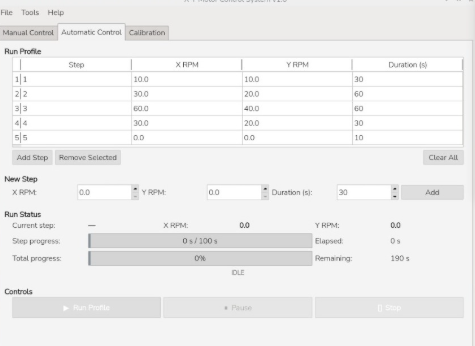
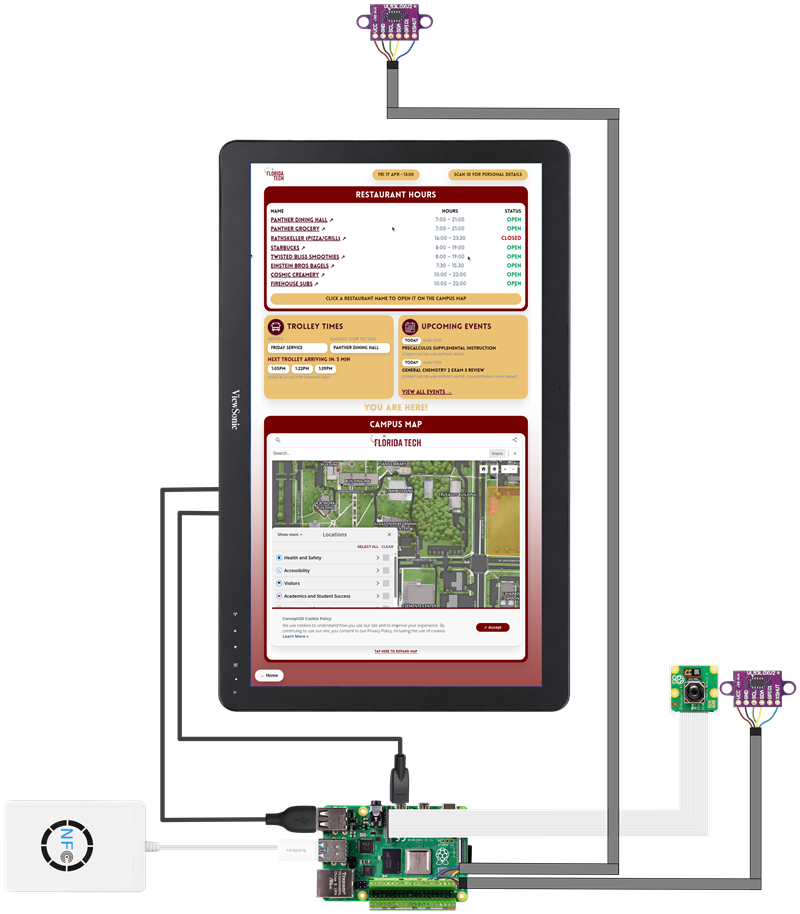
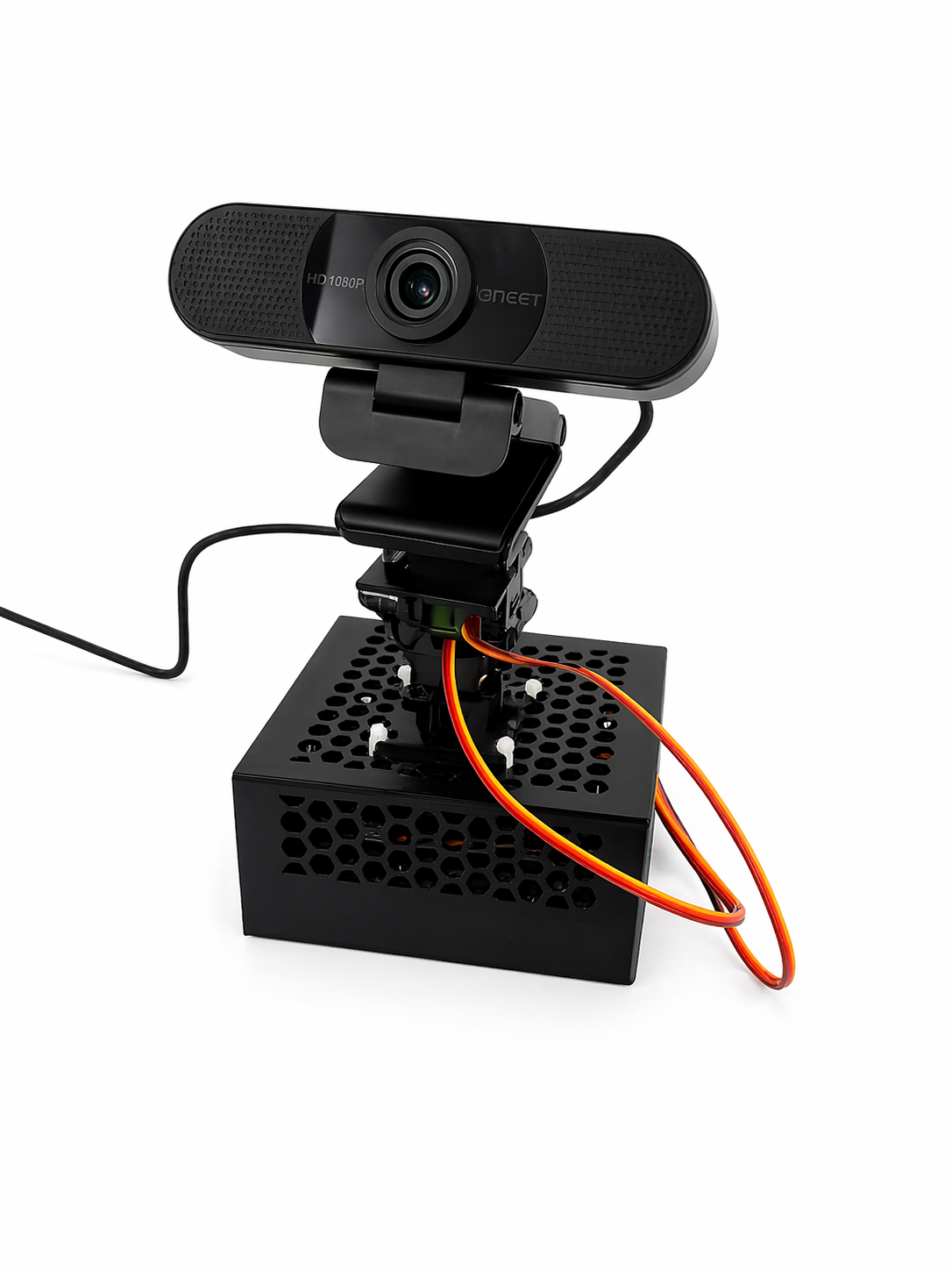
Aurora Display was developed as a modular embedded kiosk system built from off-the-shelf hardware and web-based software technologies. The platform is centered around a Raspberry Pi 4B connected to a ViewSonic TD2430 touchscreen display and integrates a Pi camera, an NFC reader, and two VL53L0X time-of-flight sensors to support proximity detection, scan-based interaction, and personalized workflows. The software architecture combines a frontend dashboard interface, a backend service layer for API integration and data normalization, and hardware-interface services that coordinate sensors and peripherals. The system was designed to boot directly into Chromium kiosk mode and operate autonomously with minimal user intervention. Throughout development, emphasis was placed on low-cost deployment, modularity, reliability, and seamless interaction between hardware and software.
Specification
Aurora Display is implemented on a Raspberry Pi 4B and deployed on a 24-inch touchscreen kiosk display in portrait orientation. The system includes a backend API layer, a modular web-based frontend dashboard, kiosk-mode startup automation, and integrated peripherals including a Pi camera (V1 Module), NFC reader, and two time-of-flight sensors. Key functional capabilities include automatic startup in kiosk mode, retrieval of live data from external APIs, support for multiple dashboard deployment profiles, and graceful fallback behavior when live data is unavailable. Key non-functional goals include reliability, maintainability, low cost, public-display readability, and reduced routine maintenance through autonomous startup and recovery behavior.
Analysis
Aurora Display demonstrates that a low-cost edge-based system can provide intelligent, context-aware signage behavior without depending on expensive proprietary infrastructure. The project successfully showed a functioning prototype with multiple deployment profiles built on a shared architecture, real-time API integration, and resilient operation suitable for continuous public-display use. Through its use of local caching, fallback states, and automated recovery behavior, the platform remains usable even when external services are interrupted. Overall, Aurora Display validates the feasibility of a modular, autonomous signage platform that improves clarity, usability, and adaptability in public environments.
Future Works
Future work for Aurora Display focuses on improving scalability, deployment flexibility, and system intelligence. Hardware improvements could include designing a custom PCB based on the Raspberry Pi compute module or MCU to reduce unused components, simplify packaging, and support a more compact enclosure. On the software side, future iterations may incorporate Docker-based containerization, CI/CD pipelines, and remote system monitoring to make deployment and maintenance more consistent across multiple devices. Aurora Display could also be expanded through AI-assisted configuration and decision systems that help adapt content based on context, user behavior, or environment-specific needs. In the long term, cloud integration through services such as AWS would support centralized management, remote updates, and fleet-wide monitoring, allowing Aurora Display to scale from a single kiosk into a distributed platform for campuses, airports, hospitals, shopping centers, and other public spaces.
Other Information
Aurora Display is intended as a flexible autonomy layer for public digital signage rather than a replacement for traditional displays. Its value lies in making information more intelligent, autonomous, user-friendly, reliable, and useful through real-time updates, edge deployment, and interactive user-aware behavior.
Acknowledgement
We would like to thank our faculty advisor(s), Florida Institute of Technology, and everyone who supported the development, testing, and presentation of Aurora Display. We also sincerely thank our family and friends for supporting us throughout this year-long project. Their encouragement and support played an important role in helping us complete this work.

/prod01/fit-cdn-pxl/media/header-images/showcase-header.jpg)
.png)

.png)
.jpg)