/prod01/fit-cdn-pxl/media/fit-website/site-assets/images/FT-Horiz_crimson-gold.png)
/prod01/fit-cdn-pxl/media/general-use-photos/ThinkstockPhotos-611992272.jpg)
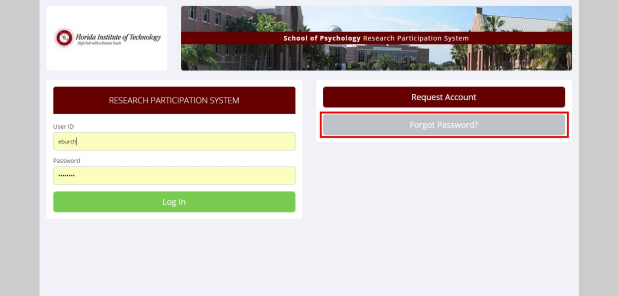
Log in, then click My Profile. Enter your current and new password, and click update. If you have lost your password, click on "Lost your password?" to retrieve it.
Sign into Sona, go to My Studies, and then click on Time slots. Look for the participants that you want to cancel, and click modify, which is the last column on the right. Click cancel, next to the participant's name. You must click yes, perform cancellation. You have the option to type in a message. The participant will now receive an email notification. Note: canceling a participant does not automatically cancel a time slot. If you do not cancel a time slot, new participants can still sign up. Refer to the next question to get information on how to cancel a time slot.
At this point, a different page will come up. Scroll down and click yes to perform the cancellation. Add a message if you would like.
If you have multiple participants to cancel, click on cancel all sign-ups for this time slot towards the bottom of the page.
Click on My Studies, then time slots, then modify. All participants must have been canceled before you are able to cancel the entire time slot (refer to the question above for details. Then click delete.)
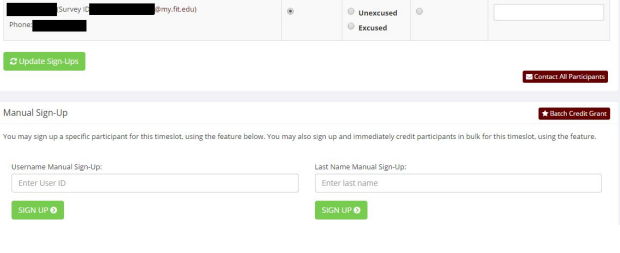
Click on My Studies, then Time Slots, add a time slot, then click on modify and scroll down. If you do not see the option for manual sign-up, but instead see "Manual sign-up is not currently available for this time slot, because the time slot is full," you must adjust the number of participants or use a different time slot.
Yes, credit must be given through the Sona Systems within 24 hours of the participants completing the study. Students will not receive credit automatically. Refer to Crediting Participants for an Online Study.
Check whether the individual has participated, then pick the corresponding action. If you have research assistants, you can either assign credit yourself or ask your assistant to assign credit.
Do not assign credit until they have participated. We recommend that you check whether they have participated every 24 hours. Once they have, assign credit to them in Sona Systems.