

Posting Timeslots for an On-Campus Study
Log into Sona Systems. If you do not have a Researcher account, see Requesting a Researcher Account.
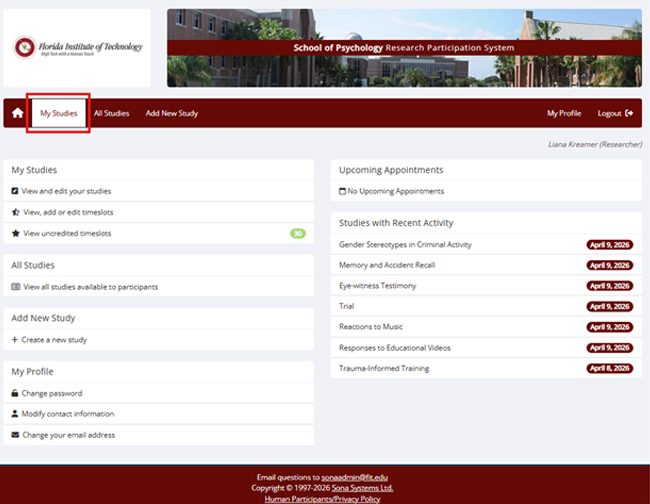
- Click My Studies.
- Study must be approved - look for the check mark.
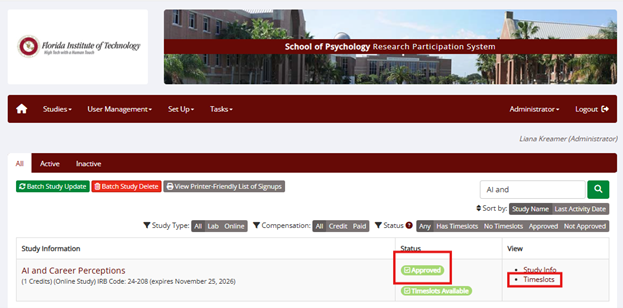
- Click on Timeslots and Add a timeslot.
- Select a date, a time, a number of participants that you can have at one time, and a location.
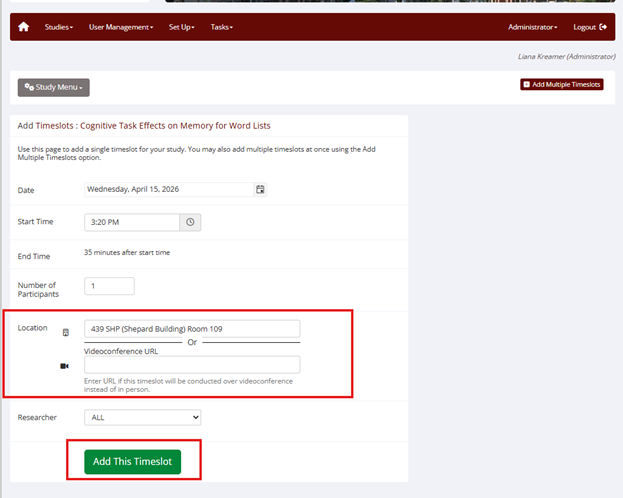
- Click Add This Timeslot.
- Students can now see your study and information that you entered under Available Studies.
- Once a student has signed up, his/her name will show up. Next to the name, it will say Awaiting action, which will become bold once the study has passed.
- Assign credit within 24 hours. See Crediting Participants for On-Campus Studies.